01
Web 3D product exploration
Browser-based models with purposeful camera views, part selection, states and information designed around the decisions your audience needs to make.
We turn products, spaces and technical information into interactive 3D systems that people can explore and understand on modern devices.
Interactive 3D gives customers, operators and internal teams a direct way to inspect a product or environment instead of interpreting it from disconnected images and documents. The experience can run in a browser or as part of a larger custom application.
01
Browser-based models with purposeful camera views, part selection, states and information designed around the decisions your audience needs to make.
02
Interactive options, environments and guided narratives that make a complex offer easier to compare, present and explain.
03
3D experiences connected to the data, interface and publishing workflow required by the wider product or business system.
Visual quality, loading time and interaction depth are balanced against the devices and decisions the experience must support.
We map the user journey, product structure, available CAD or media, required states and target devices.
A representative model proves performance, material quality, navigation and information hierarchy before scaling production.
Assets, interactions and interfaces are completed as one system, then validated on the target device range and publishing environment.
These projects show how architectural and product information can become a navigable visual narrative instead of a static presentation.
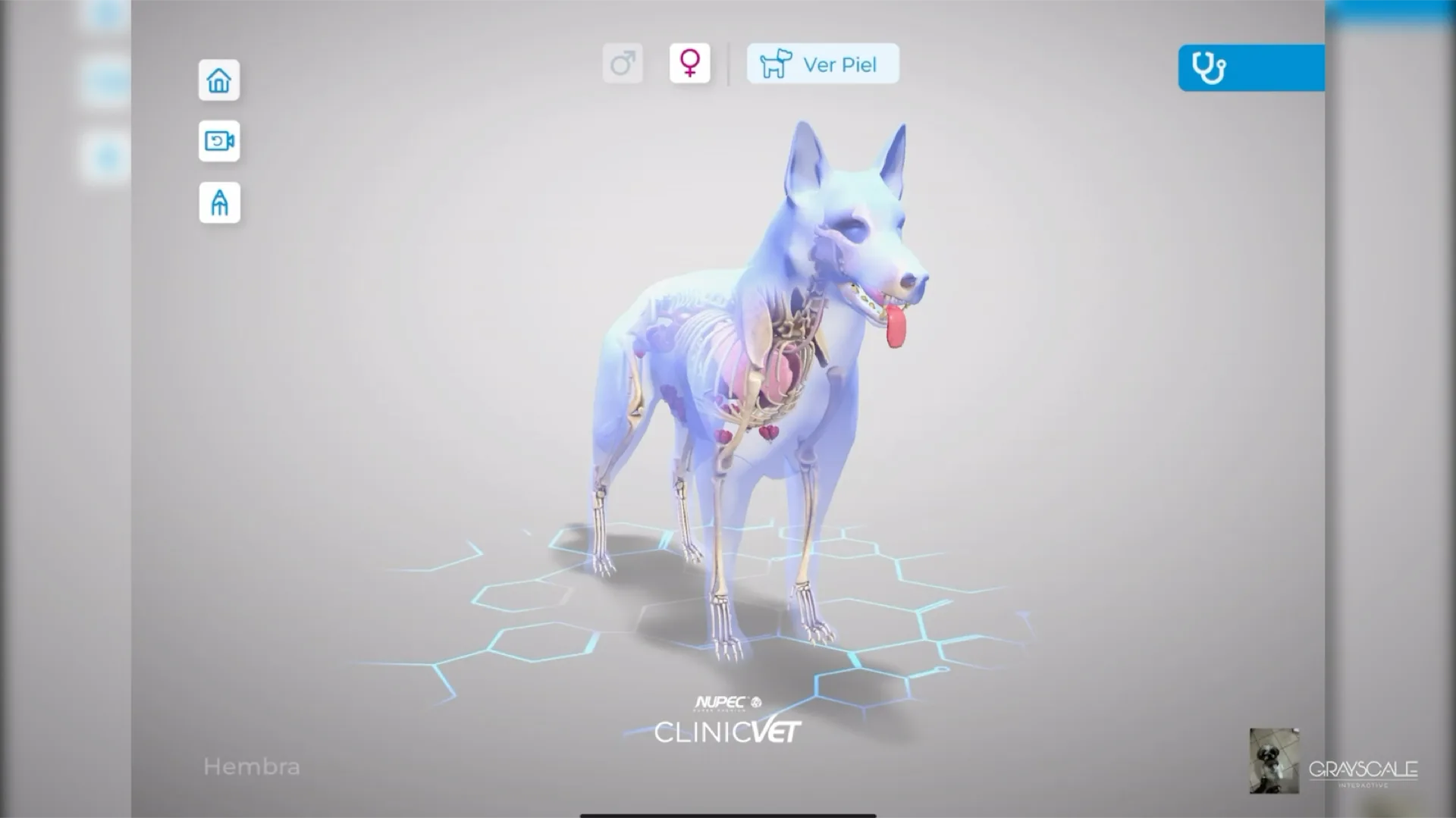

A custom application that gives veterinary professionals interactive 3D anatomy, condition comparisons, and annotations to support client conversations.
VIEW CASE STUDY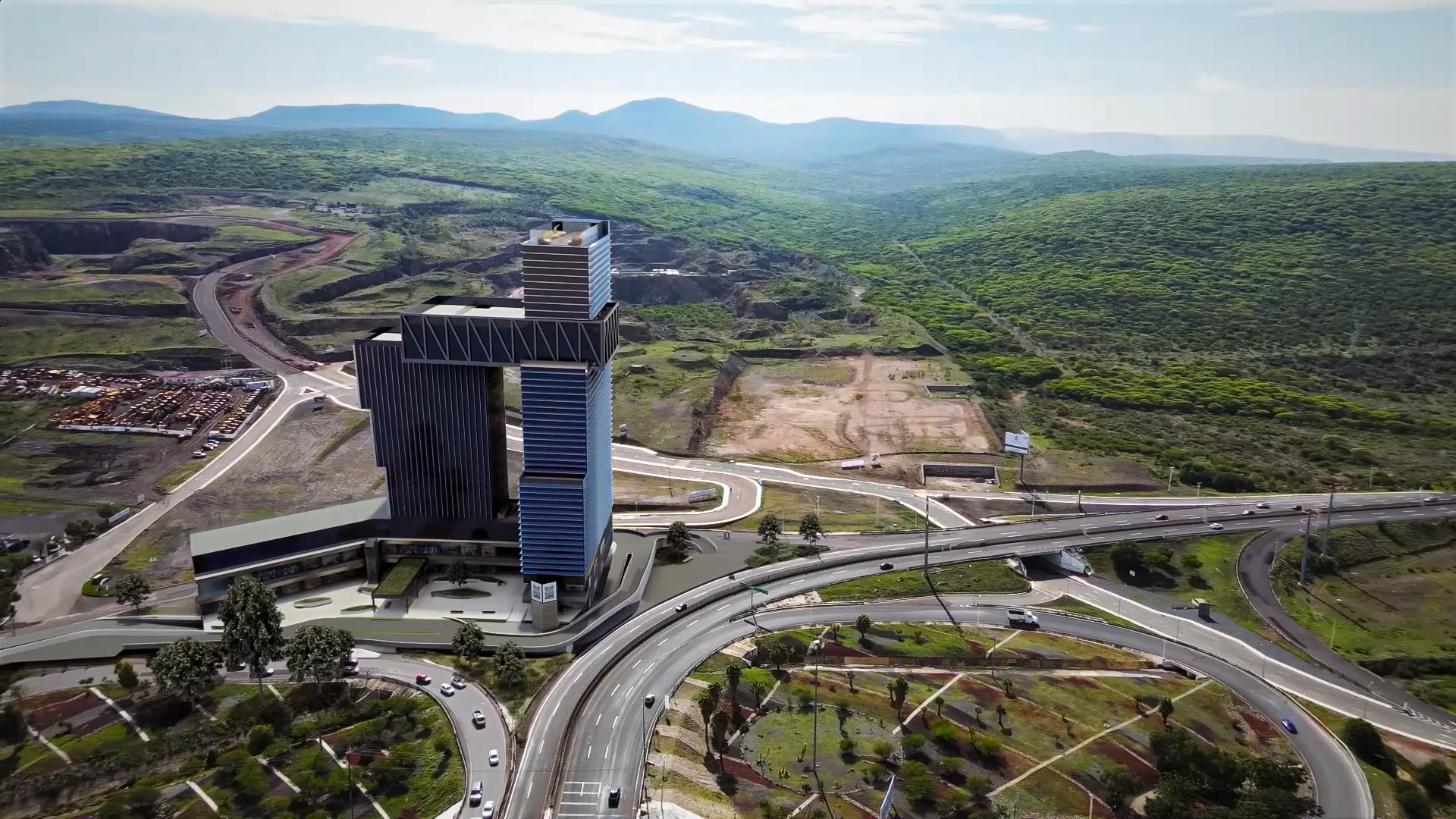

A 3D development visualisation for Wolstrat that brings together architectural, site, and aerial views for a more grounded first impression.
VIEW CASE STUDYBased in Querétaro, Mexico, we work with teams in Mexico and the United States. Projects can be delivered in English and Spanish. We scope the target sites, language, IT requirements and support responsibilities together.
Tell us what your team needs to practise, present, visualize, explain or connect. We will turn it into a defined scope and a system ready for use.